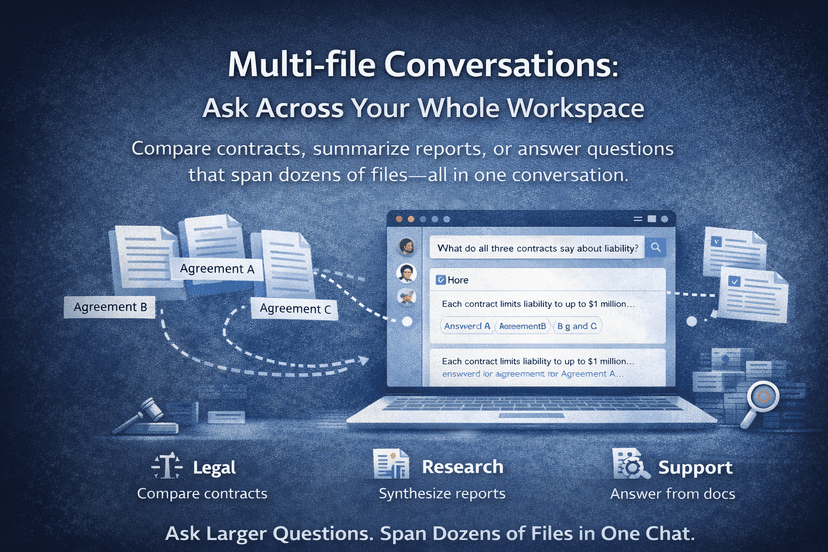
Multi-File Conversations Across Documents
Learn how to compare contracts, summarize reports, and ask one question across multiple files in a single workspace.
MindParse AI3 min read
Learn how to compare contracts, summarize reports, and ask one question across multiple files in a single workspace.
Single-file chat is useful. Multi-file conversations are where document AI starts to feel like a real workspace.
Most valuable document questions are not about one file. They are about groups of files:
None of those fit a one-PDF-at-a-time workflow.
In a multi-file conversation, you ask one question across a folder, workspace, or selected set of documents. The system retrieves relevant passages from the files in scope, then uses that context to answer and point you back to the source material.
This makes it useful for:
In each case, the answer is distributed across files—which is exactly when multi-file retrieval pays off.
You usually get better results when your question is:
Examples:
Multi-file chat gets worse when you:
The better pattern is to narrow scope first, ask one clean question, then follow up.
Use single-file chat when:
Use multi-file chat when:
Chat with PDF and chat with multiple PDFs are complementary, not competing, workflows.
Multi-file chat is much better when documents stay organized in a workspace:
Upload-once chat tools make this much harder.
Upload a real document set and start with chat with multiple PDFs, then compare related workflows in use cases or pricing.
A multi-file conversation lets you ask one question across several documents in the same workspace, folder, or selected file set.
It is more useful when you need comparison, synthesis, or portfolio review rather than a deep read of one document.
Narrow the scope, ask one clear task at a time, and use follow-up questions to compare, extract, group, or summarize specific document sets.
Related articles you might find useful.
Explore more
Use these pages to move from an article into product evaluation or a concrete workflow.
Read more practical guides, comparisons, and workflow breakdowns.
See which team workflow matches the topic you are researching.
Review the core PDF question-answering workflow in MindParse.
Learn how retrieval and search-by-meaning fit the workflow.
Check plan limits and team features when you are ready to evaluate.