AI Document Search: From Keywords to Meaning
Learn how AI document search improves on Ctrl+F by matching meaning across contracts, reports, and internal knowledge.
MindParse AI2 min read
Learn how AI document search improves on Ctrl+F by matching meaning across contracts, reports, and internal knowledge.
AI document search is what happens when search stops being limited to exact strings.
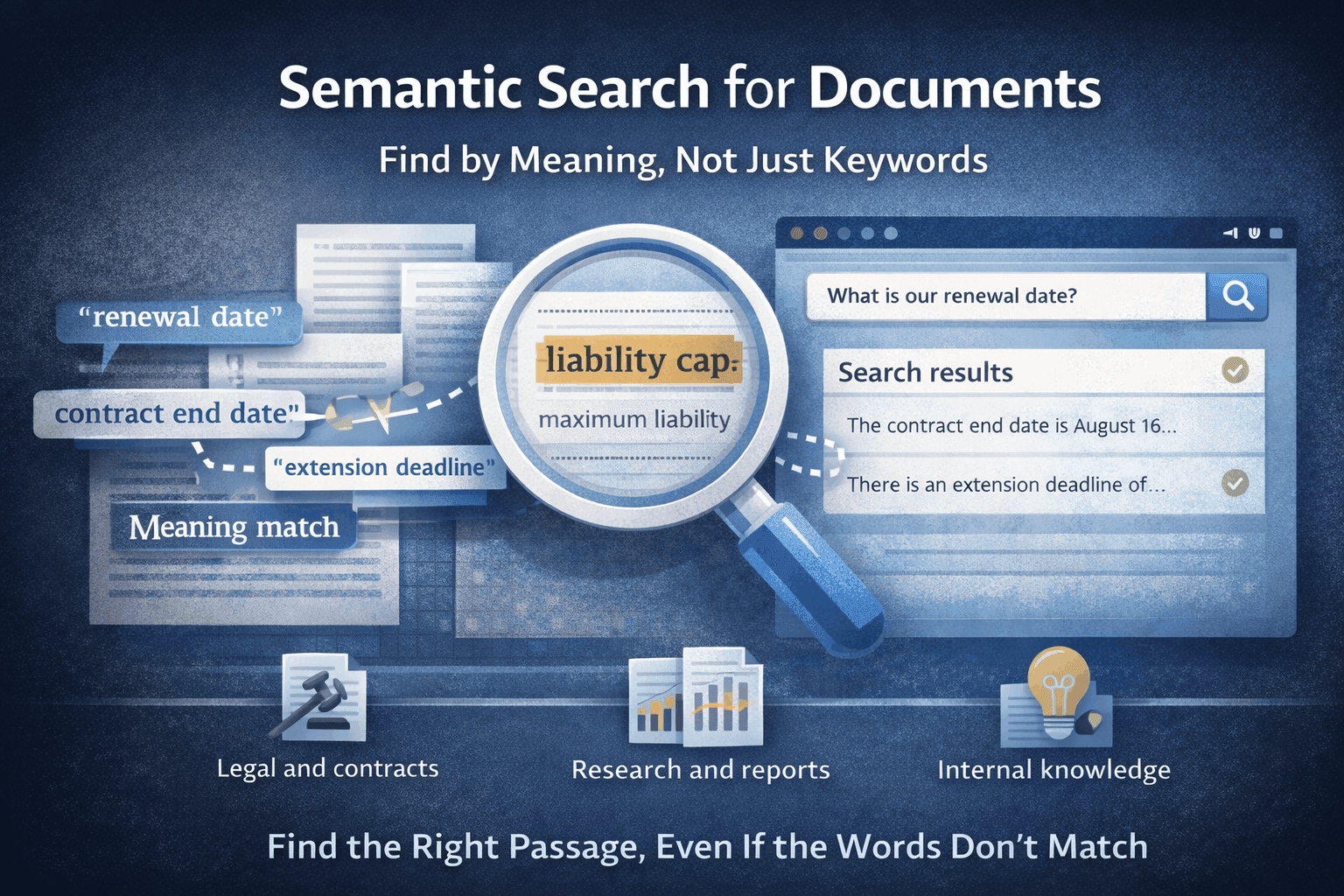
Instead of asking "does this phrase exist?", you can ask "where do these documents talk about this idea?" That shift sounds small, but it changes how useful search becomes in long-form document work.
Traditional document search works when:
It breaks down when the language varies, the files are long, or the concept is spread across multiple documents.
AI document search helps you:
A much better fit for real document workflows.
Once document volume grows, AI document search often becomes more valuable than people expect.
The best pattern is usually:
MindParse is built around this "search to find, chat to interpret" workflow.
Search becomes much more useful when it runs across an organized workspace:
Hard to replicate in tools that treat every upload like a one-time action.
These are natural questions, but poor exact-string searches.
In MindParse, AI document search is tied to semantic retrieval, chat, and workspace organization. It fits naturally with semantic search for documents, AI document analysis, and chat with multiple PDFs.
If this is your main use case, continue with semantic search for documents. For broader applications, review use cases and pricing.
AI document search uses meaning-based retrieval to find relevant passages across documents instead of relying only on exact keyword matches.
Ctrl+F depends on exact strings, while AI document search helps you find passages related to the idea you mean even when the wording is different.
Use search to find the right passage cluster first, then use chat to summarize, compare, or extract what matters, and verify the source before acting.
Related articles you might find useful.
Explore more
Use these pages to move from an article into product evaluation or a concrete workflow.
Read more practical guides, comparisons, and workflow breakdowns.
See which team workflow matches the topic you are researching.
Review the core PDF question-answering workflow in MindParse.
Learn how retrieval and search-by-meaning fit the workflow.
Check plan limits and team features when you are ready to evaluate.